
LEGO Fortnite has always been a sandbox of boundless creativity, blending the charm of brick-built survival with the ever-expanding Fortnite universe. From taming Klombos on the Lost Isles to constructing intricate villages in Creative mode, players have shaped their own stories for years. But what about the soundtrack that accompanies those adventures? For a long time, the game’s background music, while atmospheric, remained static. That all changed with a deceptively small addition that many builders now can’t imagine playing without. Ever wished you could swap the default tunes for your personal playlist of Fortnite’s iconic Jam Tracks? The answer arrived in the v31.30 update, and its impact still resonates in 2026.
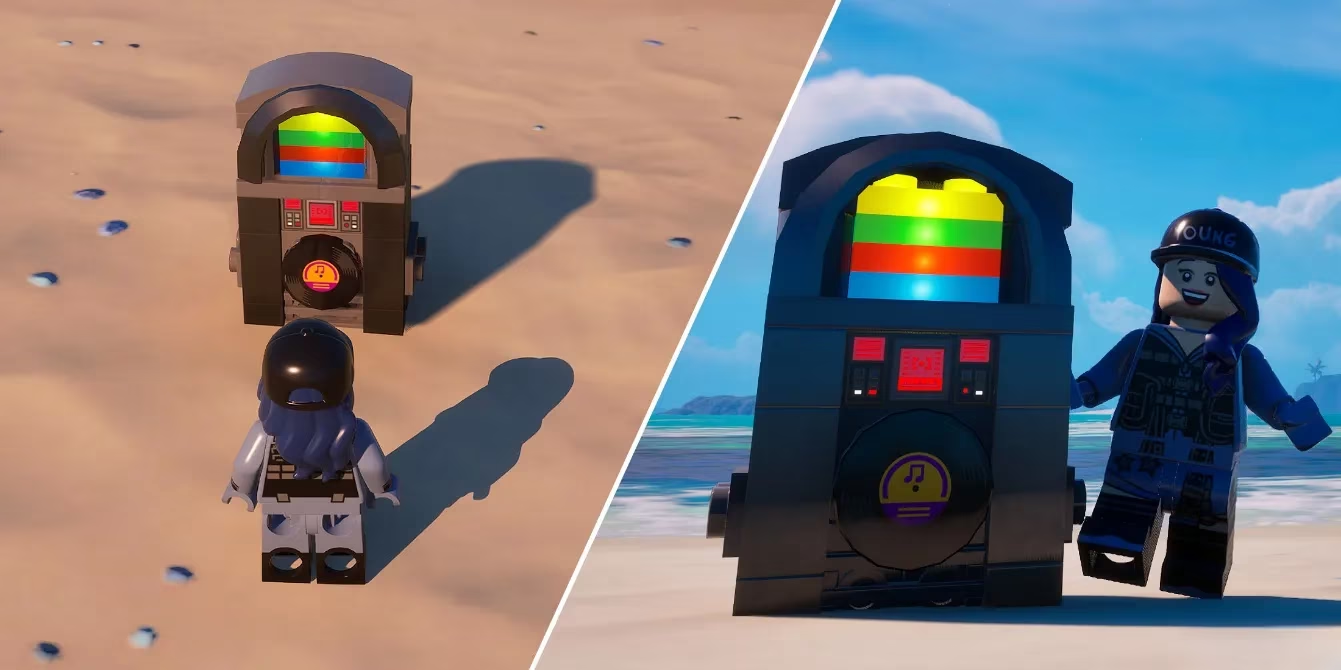
Since its debut, the Yondertron Jukebox has become a staple in countless player creations. This compact build piece does exactly what it promises: it brings the full power of Fortnite’s Jam Tracks system into LEGO Fortnite, allowing anyone to customize the audio experience in real time. Whether you’re chopping wood in the grasslands or fending off skeletons during a stormy night, you can now have chart-topping hits, orchestral epics, or meme classics playing in the background. The freedom is intoxicating, and the best part is just how easy it is to set up.
How to Build the Yondertron Jukebox
Obtaining a Yondertron Jukebox requires no rare boss drops or lengthy quest chains. It sits in the Utility section of the Build Menu, accessible with a simple press of the build key (Q on PC, B on controller). Once you select it, you’ll see a straightforward recipe that uses basic early-game materials. This accessibility means even players who just started their world can inject personality into their settlements within minutes.
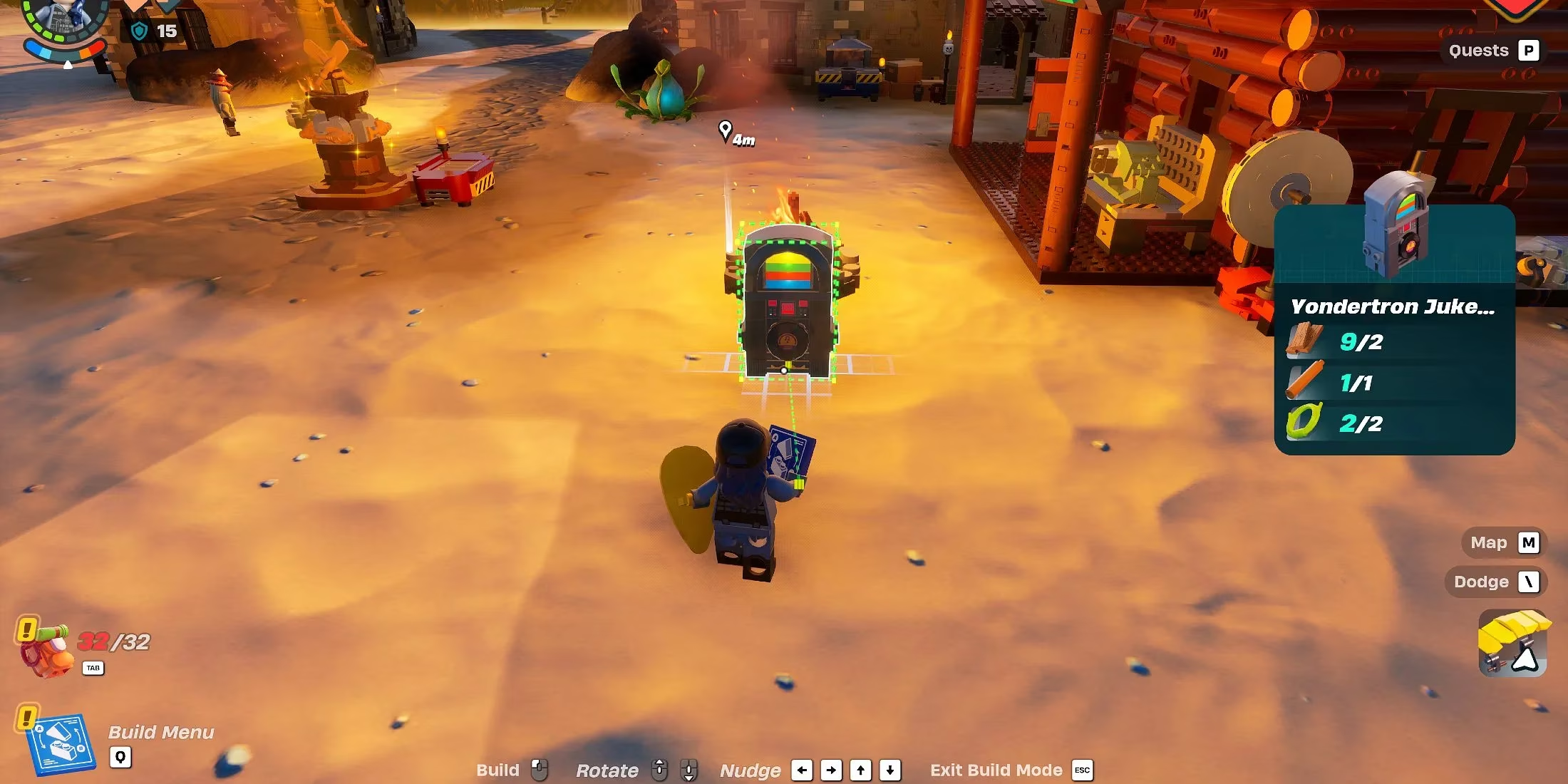
Here’s exactly what you need to craft one:
| Material | Quantity | How to Craft |
|---|---|---|
| Planks | 2 | Process Wood at a Lumber Mill |
| Wooden Rod | 1 | Process Wood at a Lumber Mill |
| Cord | 2 | Spin Vines or other fibers at a Spinning Wheel |
Wood can be gathered from any tree, and Vines are abundant in the starting biome, so gathering these components takes mere moments. Once you have everything, open the Build Menu, place the Yondertron Jukebox anywhere you like—next to a cozy campfire, on a scenic balcony, or even deep inside a mine—and confirm the placement. The jukebox instantly becomes a functional piece of your world.
Bringing Your Music to Life
After placing the jukebox, interacting with it (default use button) toggles it on or off. When switched on, it automatically plays the Jam Tracks you’ve equipped in your Locker. This is where the real magic happens. Your Locker’s Jam Tracks tab, accessed from the main lobby, lets you handpick up to eight songs from your Fortnite collection. With years of Battle Pass and item shop releases, most players have a library bursting with options. What genres will you choose? Perhaps a high-energy lobby track to fuel combat, or a chill lo-fi mix while you farm resources?
Because the Yondertron Jukebox pulls directly from your active Locker selection, changing the playlist is as simple as returning to the lobby and swapping tracks. No need to dismantle and rebuild the jukebox. This means you can tailor the atmosphere for different areas of your village. Place one near the crafting zone with upbeat anthems, and another by a fishing spot with calm, ambient melodies. The creative possibilities are endless, and many builders have embraced the jukebox as a storytelling tool, setting moods for themed builds or roleplay adventures.
A Few Quirks to Keep in Mind
Like any good gadget, the Yondertron Jukebox has its idiosyncrasies. The most important one: it only plays while you’re nearby. Stray too far from the jukebox, and the music will stop. The regular LEGO Fortnite soundtrack gradually fades back in, reminding you that you’ve left your musical bubble. When you return, you’ll need to interact with the jukebox again to switch it back on. Is this a mild inconvenience? Perhaps. But most players find it a small price to pay for custom tunes, and the range is generous enough to cover a standard-sized build without interruption.
Another point to note is that the jukebox does not broadcast music to other players in the same world, unless they also interact with it while their own Jam Tracks are equipped. In multiplayer sessions, each player hears their own Locker’s selections, which can lead to surprisingly fun moments of “what are you listening to right now?” This personalization encourages social sharing and even in-game dance parties where everyone synchronizes a shared track.
Why It Still Matters in 2026
Looking back, the introduction of the Yondertron Jukebox was more than just a quality-of-life patch; it was a statement that LEGO Fortnite would continue to blur the lines between game modes. Fortnite’s musical ecosystem, fueled by Fortnite Festival and iconic licensed tracks, now extends deeply into the survival crafting offshoot. In 2026, with dozens of new Jam Tracks added every season and collaborative events bringing artists from around the world, the jukebox remains a beloved bridge between experiences.
Are there plans to expand its functionality in the future? While developers haven’t announced a “Yondertron 2.0,” the modding community (and the ever-creative player base) never stops speculating. Imagine a jukebox that could play custom-recorded note sequences or one that links to festival stages for live performances. Even as it stands, this humble wooden machine delivers on its promise: letting you explore, build, and survive to the beat of your favorite songs. If you haven’t built one lately, why not drop a fresh jukebox in your world today and rediscover how a little music changes everything?